Run a Card Shop How to Redeem Codes
Finish the tutorial, open Settings, paste a working code, and claim Cash, Chroma, and booster packs in seconds.
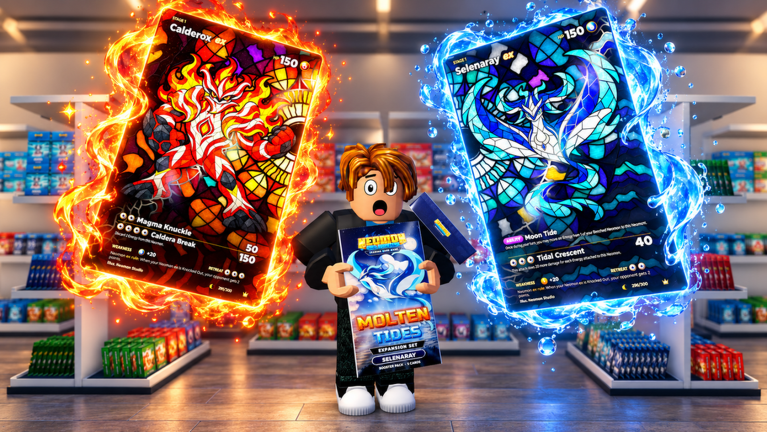
Redeeming Run a Card Shop codes takes under a minute once you clear the short tutorial. This guide walks through the exact Gear menu path Lucky Pulls uses, common failure reasons, and what to do with rewards the moment they land. Keep the Codes Hub open in another tab so you can copy active strings without typos.
Before you redeem
- Launch Run a Card Shop on Roblox (PC, mobile, or tablet).
- Join a server — max eight players, so queues are usually short.
- Complete the onboarding tutorial. The code field stays locked or ignores input until tutorial flags clear.
- Stand somewhere safe on your shop floor so menus do not fight with checkout prompts.
If you just created the account, skim Getting Started after redeeming so Cash and packs feed a real plan instead of random purchases.
Step-by-step redemption
- Look at the upper-right corner of the HUD and click the Gear (settings) icon.
- Find the Code text box inside the settings panel.
- Paste or type an active code from the Codes Hub — currently goldrush, nightmare, and (if still live) eclipse.
- Click Redeem and wait for the confirmation toast.
- Check inventory / currency counters for Cash, Chroma, and pack grants.
- Repeat for every unused active code. Most promos are one redeem per account.
Copy-paste beats hand typing. Trailing spaces, wrong capitalization, or mixing expired Halloween strings (halloween, witchinghour) are the usual fail cases.
What each reward type does
Cash funds restocks, staff wages mindset (hire when traffic spikes), floor expansions, and tournament hall progress. Dump starter Cash into the best unlocked packs for sale — details in make money fast and shop management.
Chroma is the premium currency track. Save a buffer for cosmetics, limited décor from the 120+ item catalog, or premium pack windows tied to sets like Gold Rush and Molten Tides.
Booster packs (Gold Rush, Nightshade, Molten Tides Premium, and others) can sit on shelves for customers or open into your 500+ card collection. Eight rarities, shinies, and rare god packs make personal opens exciting, but shelving product keeps the tycoon loop healthy. Compare sets on the pack tier list.
Troubleshooting failed codes
| Symptom | Fix |
|---|---|
| Invalid / not found | Confirm the code is still active; expired Halloween codes will never work |
| Nothing happens | Finish tutorial, rejoin the experience, try again |
| Already redeemed | That promo is one-time — skip to the next code |
| Wrong rewards | Hotfixes happen; note what you got and check Updates |
| Cannot see Gear | Wait for HUD load; avoid fullscreen cutscenes during tutorial |
Still stuck? Ask in the official Discord listed on the Players Hub. Do not share account cookies or passwords with anyone offering to “redeem for you.”
After you redeem — 10-minute plan
- Note Cash and Chroma totals.
- Move free packs to shelves or open one pack to learn the rarity UI.
- Set prices slightly under lazy neighbors so walk-ins convert — use Tools Hub pricing checklists.
- Hire staff when you cannot watch every checkout.
- Slot any battle-ready cards into a starter deck for ranked battles.
- Flag chase cards for grading toward Gem Mint 10.
Codes accelerate the early curve; they do not replace restock discipline. Offline earnings continue while you are away, so a well-priced floor turns free Cash into overnight profit.
Mobile vs desktop notes
On touch devices, tap the Gear carefully so you do not open adjacent buttons. Paste from your notes app if Roblox mobile keyboard autocorrects code text. On desktop, keep this wiki beside the client for one-click copies from the active table on the Codes Hub.
Related reading
- Codes Hub — live and expired lists
- Scripts Hub — automation safety (separate from official codes)
- November 2026 update — Gold Rush / Nightshade context
- Wiki about page — how we maintain code lists
Frequently Asked Questions
Quick answers to the most common questions.
Where is the code box in Run a Card Shop?
Click the Gear icon in the upper-right corner, then use the Code text field and press Redeem after the tutorial.
Do I need to finish the tutorial before redeeming?
Yes. Codes generally fail or stay hidden until onboarding completes.
Can I redeem the same code twice?
No. Promo codes are typically one redeem per Roblox account.
What if halloween or witchinghour fails?
Those Halloween codes are expired. Use the active list on the Codes Hub instead.
Are code rewards the same on every platform?
Yes. Cash, Chroma, and packs credit the same account whether you play on PC or mobile.