Run a Card Shop Getting Started Guide
Open your TCG shop, claim codes, stock shelves, and set a clean loop before chasing Gem Mint flexes.
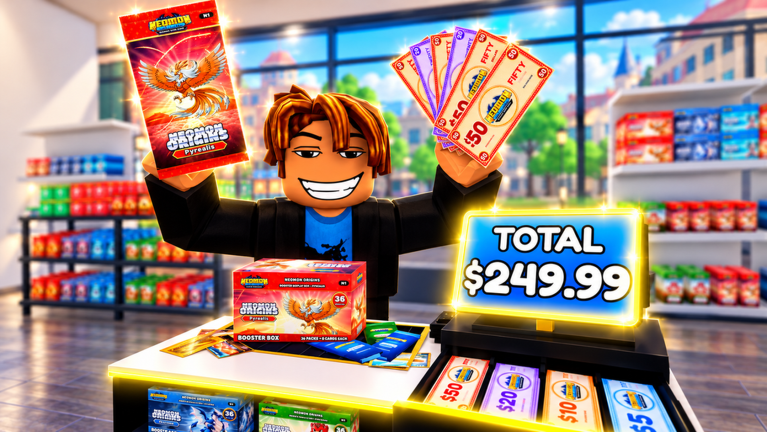
Run a Card Shop by Lucky Pulls drops you into a Roblox TCG tycoon: run the storefront, order booster stock, price product, hire staff, collect offline earnings, expand the shop floor / stock room / tournament hall, open packs from a 500+ card pool across eight rarities, grade cards, build decks, and climb ranked. This beginner guide gets you through the first session without wasting Cash or Chroma.
Play here: Run a Card Shop on Roblox. Servers hold up to eight players, so expect neighbors to visit once your floor looks alive.
Minute 0–15: tutorial and codes
- Complete every tutorial prompt. Skipping leaves systems locked — especially code redemption.
- Open the Gear icon (upper-right) and redeem active promos from the Codes Hub. Follow how to redeem if the box is confusing.
- Prioritize goldrush, nightmare, and check eclipse. Skip expired halloween / witchinghour.
- Note your Cash and Chroma. Cash runs the business; Chroma tempts décor — hold Chroma until shelves are healthy.
Free Gold Rush and Nightshade packs are rocket fuel. Decide deliberately whether to shelf or open using the pack tier list.
Minute 15–40: first profitable loop
- Order stock for the best pack line you have unlocked — usually lean into Gold Rush hype when available.
- Place product on shelves with clear facings. Empty shelves earn zero even if offline earnings exist elsewhere.
- Set prices slightly competitive versus shops you can visit in-server. Race-to-zero margins hurt more than a slow sale.
- Serve customers manually until you understand checkout timing, then hire your first staffer when you cannot keep up.
- Open one or two packs to learn rarity UI, shinies, and binder flow — then stop and restock.
Deeper profit tactics live in Make Money Fast. Do not expand the tournament hall before your stock room can feed the floor.
Hour one goals checklist
- Tutorial complete
- All active codes redeemed
- Shelves stocked with at least one chase line + one budget option
- Prices set and tested with a real sale
- First staff hire (if traffic supports it)
- Binder opened; duplicates noted
- One trainer battle attempted with a messy starter deck
- Discord bookmarked via Players Hub
Systems you should recognize on day one
Shop floor, stock room, tournament hall
The floor sells. The stock room buffers inventory. The tournament hall signals serious play and social traffic. Expand in that mental order even if the exact unlock buttons differ by level — details in Shop Management.
Packs, rarities, grading
Six booster lines, eight rarities, shinies, god packs, and grading up to Gem Mint 10. You will not finish the set on day one. Learn symbols, then read rarities & grading value before spending resources on slabs. Full process: Card Grading.
Battles and ranked
Fight trainers and gym leaders, then enter ranked from Beginner toward Crown. A terrible deck still teaches UI; a slightly curated deck teaches wins. Guide: Ranked Battles.
Décor and neighbors
120+ décor items brand your shop. Neighbors visiting is free advertising. Spend Cash on stock before flex lighting. Chroma cosmetics can wait until Make Money Fast feels solved.
Common beginner mistakes
- Opening every free pack instantly, then staring at empty shelves.
- Blowing Chroma on décor while restock Cash is critical.
- Pricing 50% under neighbors “for sales” and locking yourself into unpaid labor.
- Grading random commons instead of chase pulls.
- Ignoring staff until the checkout queue rage-quits customers.
- Pasting random loadstrings on your main — read Scripts safety first.
- Never checking Updates after a patch breaks old prices.
Day two and beyond
Return for offline earnings, refill S-tier packs, skim Tier List Hub, and push one personal goal: either a Gem Mint candidate or a ranked tier up. Use Tools checklists so each session has a repeatable opener.
If you only bookmark three pages besides this one, make them Codes, Make Money Fast, and Guides Hub.
Related reading
- Shop Management
- Controls & Menus
- Collection & Binder
- November 2026 update
- Wiki about how we maintain guides
Frequently Asked Questions
Quick answers to the most common questions.
What should I do first in Run a Card Shop?
Finish the tutorial, redeem active codes, stock shelves, and set fair prices before heavy décor or grading.
Should beginners open code packs?
Open one or two to learn rarities, then shelf the rest until Cash flow feels stable.
When do I hire staff?
As soon as checkouts stack faster than you can click — usually during your first busy traffic spike.
Is Chroma more important than Cash early?
No. Cash keeps stock flowing. Save Chroma for premium moments after the shop prints money.
Where do I find other new player help?
Use this Guides Hub, the Codes Hub, and the Discord link on the Players Hub.