Run a Card Shop Guides & Walkthroughs
From first tutorial to Crown ranked and Gem Mint showcases — every core system explained.
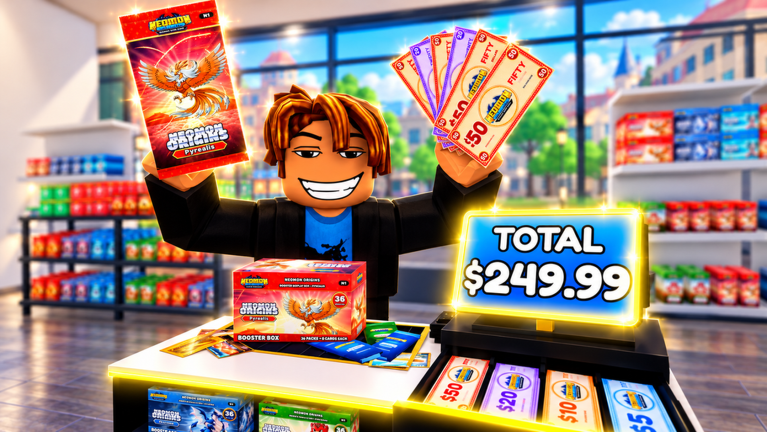
Welcome to the Guides Hub for Run a Card Shop by Lucky Pulls. These walkthroughs cover the full loop: open your TCG shop, order stock, set prices, hire staff, earn offline, expand into stock room and tournament hall space, rip six booster lines across a 500+ card set, grade toward Gem Mint 10, build decks, and climb ranked from Beginner to Crown. Start with the featured beginner path, then branch into profit, grading, battles, and operations.
Core guides
- Getting Started — first-hour checklist, tutorial exit, first restock, first code redeem
- Make Money Fast — Cash velocity, pricing, offline earnings, what to buy next
- Card Grading — path to Gem Mint 10 without wasting resources
- Ranked Battles — decks, trainers, gym leaders, Beginner → Crown
- Shop Management — staff, expansions, décor (120+ items), neighbor visits
Suggested learning order
- Finish the in-game tutorial and redeem everything on the Codes Hub via how to redeem.
- Read Getting Started so Cash and free packs (Gold Rush, Nightshade, etc.) have a plan.
- Apply Make Money Fast until restocks feel automatic.
- Skim the Tier List Hub so you stock winners, not warehouse trash.
- Unlock grading habits with Card Grading and rarities value.
- Build a real deck and climb with Ranked Battles.
- Scale operations with Shop Management as traffic grows in eight-player servers.\n8. Learn every menu via Controls & Menus.\n9. Push binder goals with Collection & Binder and god packs / shinies.
How these guides connect to other hubs
Guides teach how. Tier lists teach what to prioritize. Codes inject free Cash, Chroma, and packs. Tools give checklists you can reuse every session. Updates explain why last week’s tip changed after Gold Rush or Nightshade patches. Players points at Discord for live questions. Scripts documents automation risks if you insist on executors.
What “good” looks like after a week
- Shelves stay stocked with Gold Rush and at least one supporting line
- Staff covers checkouts while you duel or decorate
- Offline earnings feel meaningful when you return
- A few Gem Mint candidates sit in queue — not every common
- A beginner-to-intermediate deck beats early trainers consistently
- Décor helps branding without bankrupting Cash needed for stock
If any pillar fails, jump to the matching guide instead of randomly spending Chroma. Premium currency from codes like goldrush and eclipse (when active) is easy to waste on impulse cosmetics from the huge décor catalog.
Content principles on this wiki
We keep guides practical, locale-ready, and internally linked. No filler walls, no fake YouTube IDs, no copied pages from unrelated Roblox wikis. When Lucky Pulls ships a major change, we revise these JSON sources and regenerate — see Wiki for editorial notes and November 2026 for the latest patch context.
Quick links for searchers
| Intent | Go here |
|---|---|
| Codes / free packs | Codes Hub |
| First session | Getting Started |
| Profit | Make Money Fast |
| Gem Mint 10 | Card Grading |
| Ranked climb | Ranked Battles |
| Staff & expansion | Shop Management |
| Pack rankings | Pack tier list |
Pick a guide, follow the internal links mid-article, and cross-check facts against your live client after updates. Servers cap at eight players, so good shops get noticed quickly — make sure yours deserves the foot traffic.
Frequently Asked Questions
Quick answers to the most common questions.
Which Run a Card Shop guide should I read first?
Start with Getting Started, redeem codes, then Make Money Fast before specializing in grading or ranked.
Do these guides work on mobile?
Yes. Systems are the same on supported Roblox clients; only UI tap targets differ slightly.
How often are guides updated?
After major pack drops, economy tweaks, or ranked changes. Check the Updates Hub for patch context.
Are scripts required to follow these guides?
No. Every guide assumes legitimate play. Scripts are optional, risky, and covered separately.
Where can I ask follow-up questions?
Join the community Discord linked from the Players Hub, and keep this wiki bookmarked for structured answers.